May 27, 2026 · 11 min read
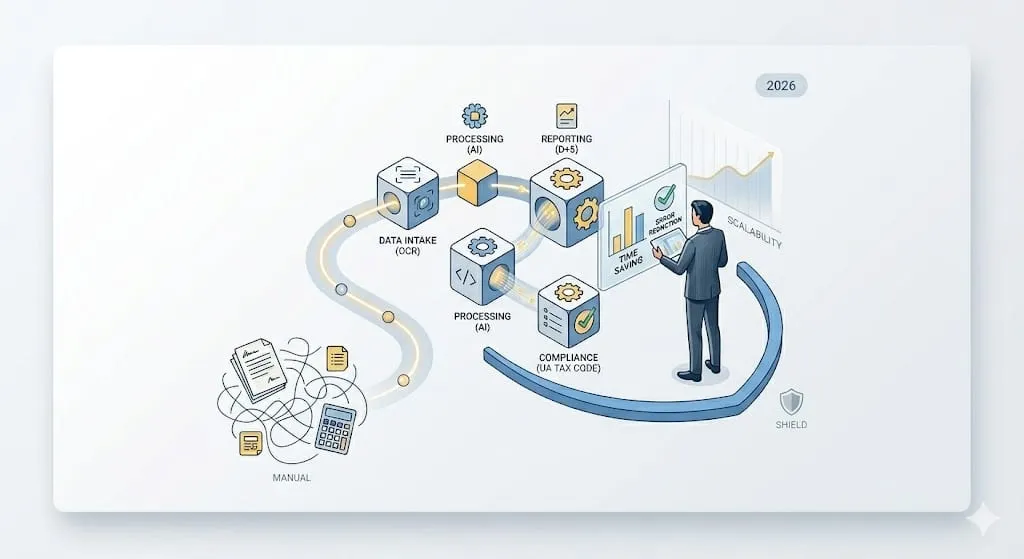
Artificial intelligence is steadily working its way into everyday business operations. What was seen as an experimental technology only a few years ago has become a powerful tool for automating routine work, boosting efficiency and reducing operational risk.
But what is an AI agent in practice? Which tasks make sense to hand over to one? How do you roll it out with minimal risk? And can artificial intelligence really replace professionals?
In this article we take a practical look at introducing an AI agent into a company. It is written for business owners, CEOs, CFOs, finance managers, chief accountants — anyone responsible for financial processes who wants to put modern technology to work for the business.
What an AI agent is — and how it differs from a chatbot and RPA
An AI agent (Artificial Intelligence Agent) is an artificial-intelligence-based tool that can take over parts of a business process, or entire processes, without constant human involvement. Put simply, it is a “digital assistant” that can analyze information, interact with your systems, carry out tasks under set rules and take routine work off people’s hands.
AI agents can:
- collect and structure data;
- analyze documents;
- verify information;
- send notifications;
- trigger actions in other systems.
In accounting, for example, an AI agent can process source documents, check data for errors and help prepare parts of the financial reporting. Many firms are building exactly these kinds of solutions today — UHY Prostir among them.
It helps to distinguish three concepts:
- An AI chatbot answers questions in a conversation, but takes no action beyond it.
- RPA (Robotic Process Automation) automates well-defined repetitive actions along a fixed script — and stalls the moment a situation falls outside that script.
- A full AI agent combines the two: it analyzes information, makes decisions within the logic it has been given, talks to different systems and handles parts of a business process on its own.
In short: a chatbot answers, RPA follows a predefined script, and an agent analyzes information and acts on it within set logic. That is why AI agents are increasingly used as a practical way to raise efficiency in accounting, finance, HR and other business functions.
Why accounting, audit and payroll are the best candidates for AI
Accounting, audit and payroll are among the most promising areas for AI agents. Much of the work in these fields consists of repetitive, structured, rule-bound operations that demand high accuracy and involve large volumes of data.
AI agents are already proving genuinely useful for:
- initial document processing, including reading invoices and acceptance certificates;
- verifying accounting data and reconciling records between systems;
- preparing reports and tax filings;
- payroll calculations and pay runs;
- auditing large volumes of transactions to flag anomalies and inconsistencies;
- internal process monitoring and compliance.
None of this means replacing accountants, auditors or payroll specialists. On the contrary: the technology cuts down routine work so that people can concentrate on the tasks where professional expertise, analytical thinking and management judgment matter most. In practice an AI agent can take over 60–80% of standard operations, leaving specialists more time to supervise the process and deal with the exceptions. That is where the real value of the technology lies — not in replacing people, but in amplifying what they can do.
What implementation looks like: a step-by-step plan
Rolling out an AI agent is best treated as a project in its own right, with a clear sequence of stages. Working in stages keeps the risks down, shows the real payoff from automation and lets you extend the solution to other processes gradually.
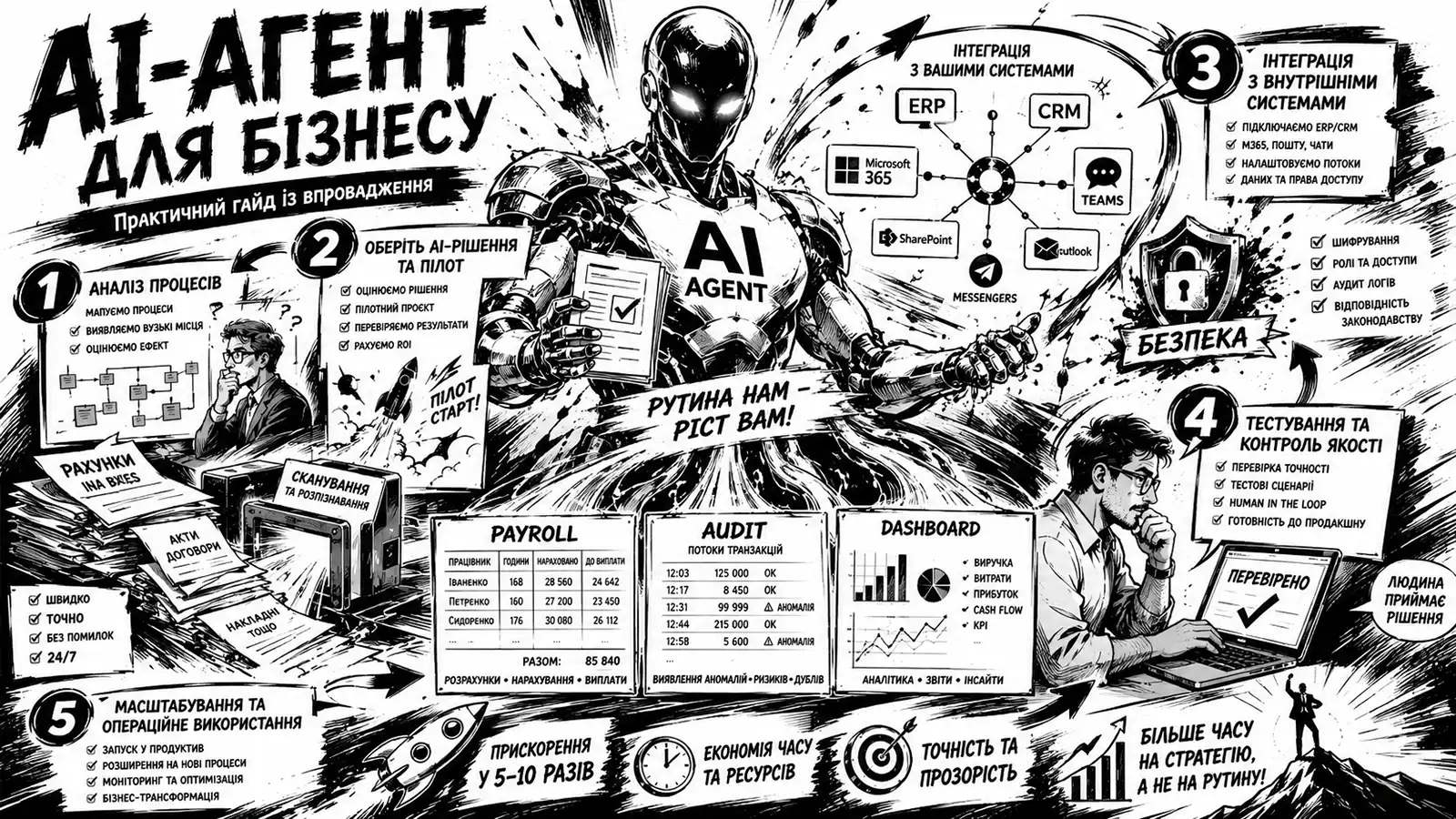
Step 1. Analyze and map your business processes
One of the most common mistakes in AI adoption is starting with the choice of technology before examining your own processes. AI does not clean up operational chaos — it only speeds up processes that are already clear, structured and standardized.
So the first step is to analyze your current business processes: how labor-intensive each one is, how often it recurs and how error-prone it is. Processes that score high on these criteria are usually the best candidates for automation.
Once you have picked a process, describe it in detail. At this stage, capture:
- who performs each operation;
- in what order the steps happen;
- which rules and checkpoints apply;
- where delays and errors occur most often.
It is also worth standardizing how the chosen process is carried out: if the same task is done differently every time, automation becomes much harder and its outcome less predictable. This structured description is the foundation on which the AI agent’s configuration and operating logic are built.
Step 2. Choose an AI solution and run a pilot
Start with one clearly defined process rather than a full-scale rollout — say, processing source documents, verifying data or automating payroll calculations.
A pilot lets you test the technology on real work, measure the time and resources saved, spot the risks and tune the setup before scaling. In many cases the first results show within a few weeks.
When choosing an AI solution, weigh several key aspects:
- how well the data is protected and whether confidentiality requirements are met;
- whether it integrates with the systems the company already runs — ERP, CRM and accounting software in particular;
- scalability and flexibility of configuration;
- whether it actually fits the needs of the business, not just the feature list on the vendor’s slides.
Step 3. Integrate with internal systems
Where needed, the AI agent plugs into the company’s internal IT infrastructure through APIs, off-the-shelf connectors or dedicated integration platforms.
Depending on the task, the agent can:
- pull and verify data from ERP systems;
- create tasks in the CRM;
- analyze documents in electronic document management systems;
- work with Microsoft 365, Google Workspace and corporate messengers.
Step 4. Test and set quality controls
Before the agent goes live, define how its results will be checked and set thresholds for automated decisions. If the agent’s confidence in a result falls below the set threshold, the task is automatically routed to the responsible specialist for review.
Step 5. Scale up and run day to day
Once the pilot succeeds, the AI agent can gradually take on other business processes. To keep it running reliably, put one person clearly in charge — a process owner or AI coordinator — who:
- understands the logic of the process;
- monitors the quality of the output;
- measures what the automation actually delivers;
- steers the further development of the solution.
That way the launch succeeds — and the agent keeps delivering practical value to the business over the long run.
Quality control
In accounting, finance and audit, accuracy and control carry particular weight. An AI agent therefore needs clearly defined review rules and continuous monitoring. Every action it takes should be logged, and its results should be open to review and analysis.
To keep quality where it needs to be:
- apply the human-in-the-loop principle, with a specialist double-checking critical operations or the final output;
- track key performance indicators regularly — the error rate, task turnaround time and the number of exceptions;
- revisit the agent’s settings and rules whenever the underlying business processes change.
Where significant amounts, legal consequences or unusual situations are involved, follow a simple principle: the AI agent prepares the result, and the responsible specialist reviews and signs off on it.
Automation does not dilute professional responsibility. What it does is strip away routine so that more attention goes to the work where professional judgment, analysis, client advice and management decisions really count.
Data security and confidentiality
Bringing AI into processes that touch financial, HR and other confidential information calls for particular care over security. Artificial intelligence does create new risks — but with the right approach they are entirely manageable.
When integrating an AI agent, stick to the basic principles of data protection:
- grant least-privilege access, giving the agent only the data and permissions each specific task requires;
- encrypt data and control what is exchanged with external services;
- know exactly where the data passed to AI systems is stored and who can access it;
- review access settings regularly and audit the agent’s activity logs;
- train staff to work safely with automated systems — human error remains one of the most common causes of data leaks.
For an extra layer of protection, the agent can be deployed in a closed internal environment — a corporate perimeter isolated from outside networks. This sharply limits the risk of sensitive data leaking while keeping the system fully functional.
The business case for AI agents
The headline benefits of AI agents are less time spent on routine operations and fewer errors. But the practical effect goes well beyond operational efficiency. Configured and integrated properly, AI solutions can create much broader value for a business.
The main gains:
- scaling without proportional hiring — the company handles a larger volume of operations without a matching increase in headcount;
- faster business processes — tasks that used to take hours or even days get done far sooner, which speeds up management decisions;
- sharper analytics — AI can work through large data sets, surface patterns and flag potential risks and deviations;
- lower operating costs — less time goes into mechanical steps and error fixing, which lifts overall efficiency;
- better client service — specialists can focus on work that calls for professional judgment, analysis and direct contact with clients.
Practical scenarios: where AI is already working
AI agents are gradually becoming part of day-to-day operations across industries. Here are a few typical scenarios for using them in business.
An AI agent for payroll
The agent gathers the input data, checks the calculations, produces the payroll registers and alerts the relevant staff to any deviations or potential errors.
An AI agent for internal audit
The agent combs through transaction data for anomalies, duplicates and suspicious patterns and drafts a preliminary report, so the auditor can focus on assessing risks and material deviations rather than manually reviewing huge volumes of data.
An AI agent for client service
The agent handles standard client requests, reports task status and sends deadline reminders, freeing the team from routine correspondence.
The future of AI agents in professional services
AI agents are turning into one more everyday tool alongside traditional business systems such as ERP, CRM and cloud platforms. Within the next few years their use will be standard practice for companies across a wide range of industries.
The biggest change, though, will be less about individual professions than about how work is organized. The share of time now spent on routine operations, manual checks and moving data between systems will keep shrinking. What will grow is the weight of work that requires professional judgment, analysis, advice — and management decisions.
Kateryna Bohdan